

Have you ever wanted to scare people away at happy hour? I’ve found a proven method: drop the words “revenue recognition” and “ASC 606” into any conversation. Watch the eyes of your group of friends glaze over. It’s a great magic trick! While this may be an effective method for escaping conversations, it’s an important topic if your business has contracts.
AccountingToday published an interesting article in November of last year, “Welcome to Year One of ASC 606”, where they began with the story of Oracle.
“Last month a very strange thing happened — Oracle announced its quarterly earnings, then re-announced them a day later, with a half a billion dollars missing from the top line. Wall Street had a collective spit take. The end result was a lot of confused analysts and a hit to Oracle’s earnings estimates.
The management team in the Emerald City clearly dropped the ball here. But, you can expect to read a lot more stories like this over the next twelve months. Why?? Because 2018 is year one of ASC 606.”
Does your business have contracts? How is a contract defined? Identifying whether a contract exists is key and not always clear-cut. If you do have contracts, you are surely already aware of the changes brought about by ASC 606. You might, however, have questions about how that impacts you or how to implement the changes; exactly why CLA offers an entire group to help there.
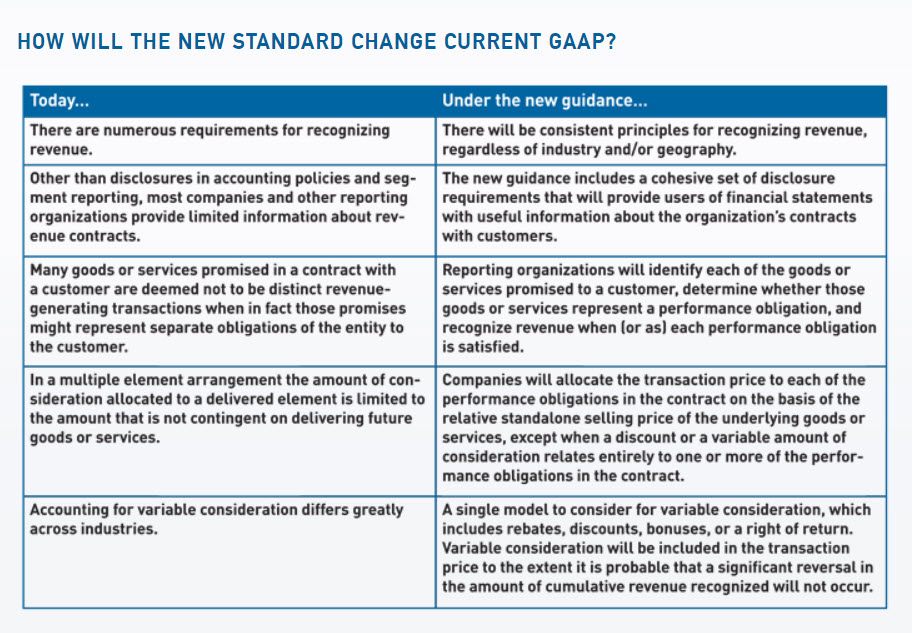
If you’ve identified that the new standard applies to your business, I would ask: how are you managing contracts and their revenue recognition today? It may have been okay to manage revenue recognition in Excel for some time, depending on the size of your business, however, ASC 606 certainly makes that more challenging. One of the biggest changes that ASC 606 brought about is the way in which revenue is recognized across items in a contract. (Bundles seem convenient for sales, don’t they? Not so much for revenue recognition though!) Previously, the way in which discounts and add-ons were handled varied greatly across industries. One of the new changes requires re-evaluation and allocation of revenue recognition whenever an add-on is made. Below are the specific changes from FASB’s website:
If you’ve identified that you are impacted by ASC 606 and your current accounting solution is proving too manual (Excel spreadsheets are a headache and keep breaking), Intacct provides the Contract module.
What does the Contract Module do exactly?
Contracts as a Dimension:
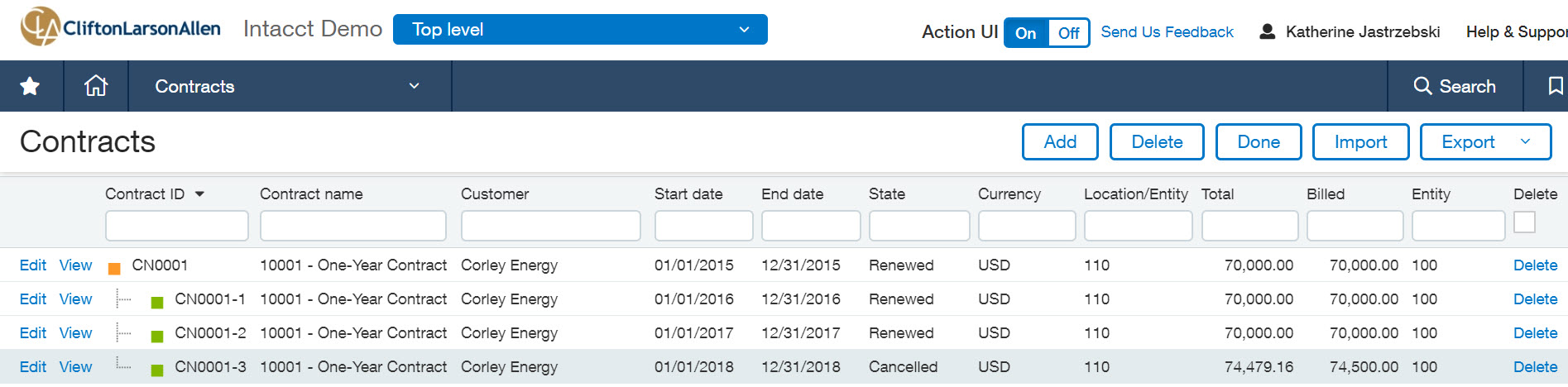
First off, contracts is a dimension in Intacct. You know from the way you run your business you really do have a single contract with a customer which they may add on to, renew over time, or amend. Seeing the whole picture clearly from a financial reporting standpoint is vital. You might wonder: How profitable is each contract? Is there an opportunity for up-selling? Are they dropping products? Renewing? Having Contracts as a dimension makes answering these types of questions possible.
Compliance Reporting Requirements for ASC 606:
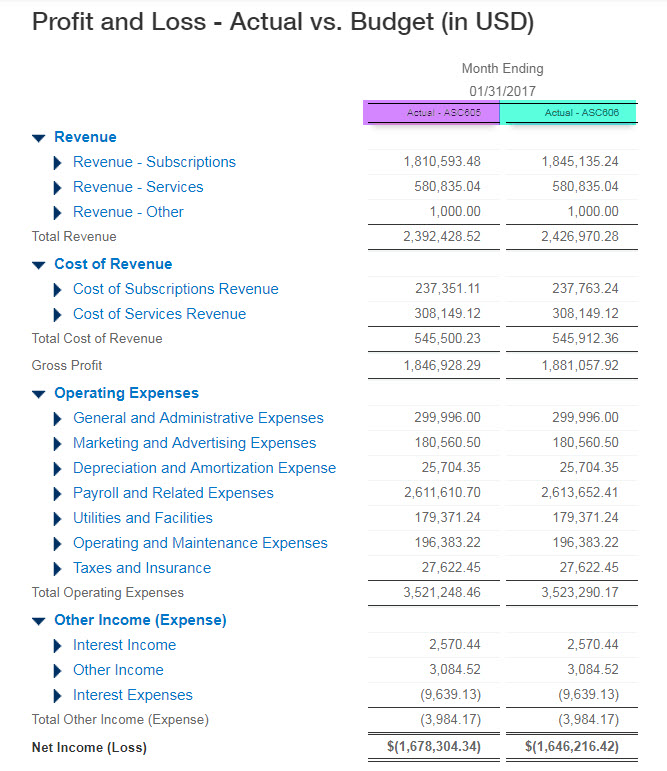
With the new standard requiring reporting on both ASC605 and ASC 606, the Contracts module employs dual book reporting to make meeting that mandate simple.
Below, is an example of a Profit and Loss report with a side-by-side comparison of ASC 605 and ASC 606.
Compliance:
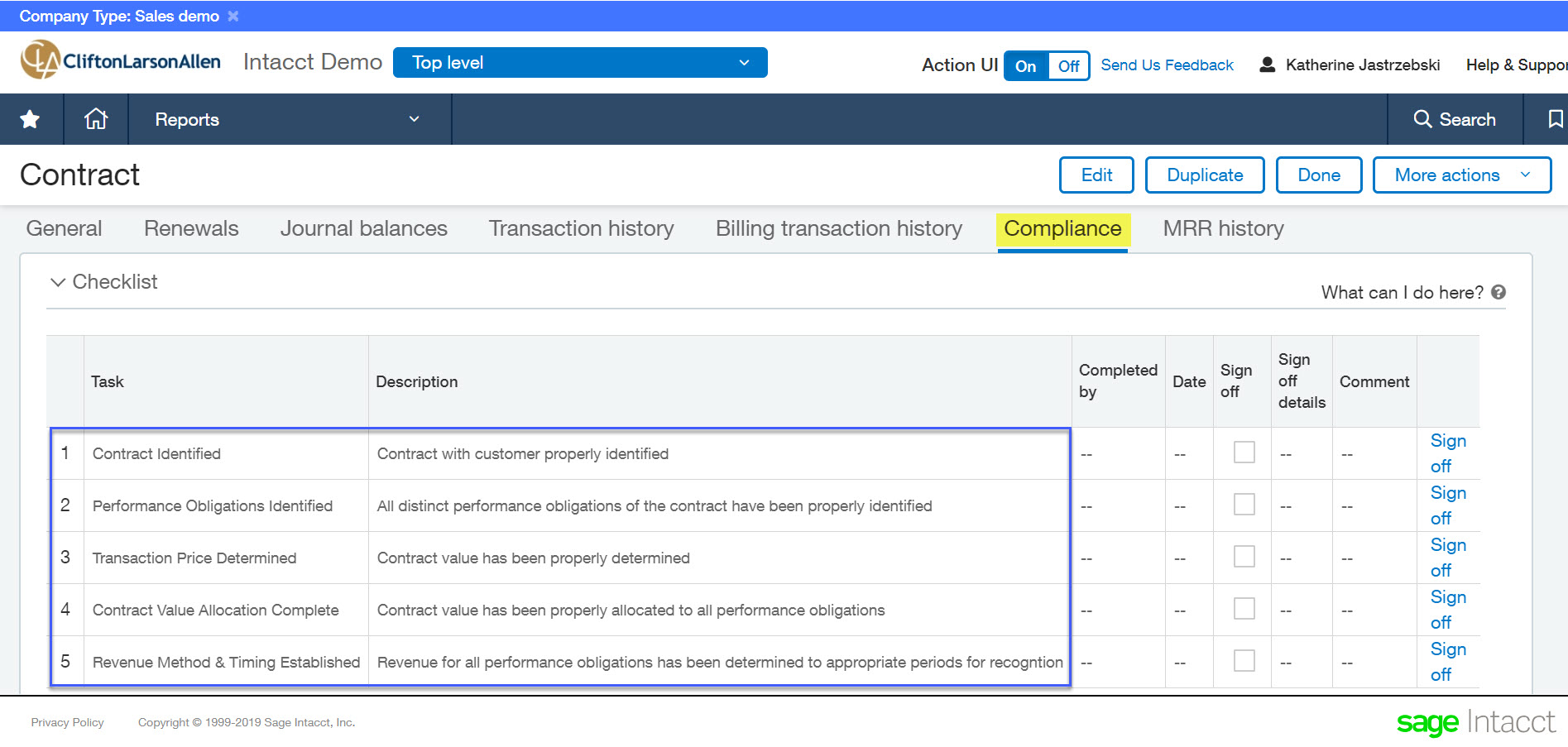
The Contract also has an entire dedicated tab for applying the five steps to achieve compliance.
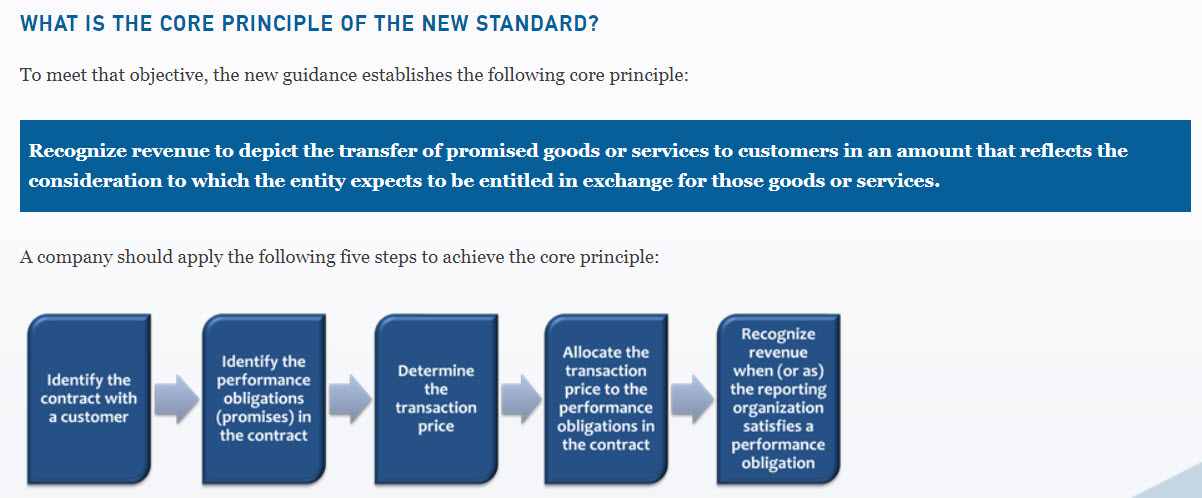
Sage Intacct Contract Compliance Tab:
Automation:
- Automated Revenue Recognition – When you add on to a contract or have a discount to apply, the system will correctly create or amend/re-allocate the revenue recognition schedule for you. Available revenue recognition methods include straight-line, quantity-based, and MEA.
- Automated Billing Schedules – Your billing schedules are not linked to revenue recognition. You can bill a customer on a completely separate and automated schedule from their revenue recognition schedule. Those invoices are then linked back to the original contract.
- Usage Billing – Many businesses with contracts have standard included units in the products they sell, anything over that amount is then charged at an overage rate. Or perhaps you have tier pricing where price is determined by the range of usage your customer falls into during a specified month. Intacct has the flexibility to handle that.
- Integration with SalesForce – streamlined quote to cash process.
- Automated Renewals – The renewal contract can be automatically created as the end date of the contract approaches.
- Expenses – Often with contracts, you have commissions. You need to amortize these commissions along with the contract. Previously, you may have created a custom Order Entry Transaction Definition to automate that process (I certainly have!). However, with Contracts, you can now natively associate expenses with a contract.
Final Thoughts
The contracts module not only helps in complying with the ASC 606 standard, but additionally creates a single record (contract dimension) with a web of inter-related transactions while automating as much as possible in the process. Furthermore, the contract module makes both compliance and financial reporting a breeze thanks to the multi-book structure and new dimension.
What’s Next?
Curious to see Contracts in action? Or just need a little more information so you can scare away your friends at happy hour? We’re happy to oblige either way! Reach out to your CLA Intacct team!

